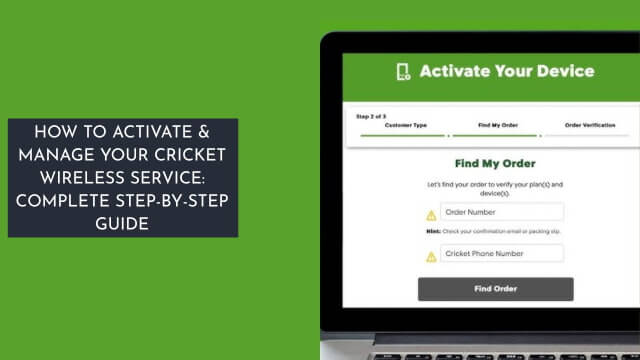
You’ll activate your Cricket service at Cricket Wireless by choosing a plan and ordering a SIM or device. You’ll create an account and validate it with your order number.
Then, you’ll insert the SIM card and follow prompts to activate your phone and account. You’ll manage your service and track your order online, and as you proceed, you’ll discover more about setting up and optimizing your Cricket Wireless experience.
Getting Started With Cricket Service
To get started with Cricket service, you’ll need to choose a plan that suits your needs. You can order a new Cricket SIM or device online and receive an order number.
Once you’ve received your SIM Card, you can proceed with Phone Setup. To activate your service, you’ll need to create a Cricket account online or call the Cricket phone number.
With your account online, you can manage your Cricket Wireless service and track your order. Use your order number to activate your service and complete the setup process for your device, then you’re ready to use your Cricket account.
Also, Read: What Is Light Emitting Diode (LED)? | Working Principle of LED
Activating Your Online Order
You’ve completed the initial steps for getting started with Cricket service, and now you’re ready to activate your online order. Insert the SIM card and locate your order number and phone number.
| Step | Action | Result |
|---|---|---|
| 1 | Go to cricketwireless.com/activate | Start activation |
| 2 | Enter order number and phone number | Validate account |
| 3 | Insert SIM card | Prepare phone |
| 4 | Follow prompts | Activate phone and account to use your Cricket service. |
Phone Setup and Registration
After activating your online order, your phone is now ready for setup and registration, which involves configuring its various features and settings.
You’ll need your order confirmation email with your order number.
- Check your SIM card or standard micro-SIM card
- Locate your Device ID Number (IMEI)
- Download the myCricket app
- Explore the Cricket Turbo Hotspot
- Visit your devices app store for phone setup to register your account.
Also, Read: Electrical Substation Components and Their Workings
Managing Your Cricket Account
Managing your Cricket account involves tracking usage, paying bills, and modifying plans – it’s a straightforward process that you can handle online or through the myCricket app.
You can manage your account by checking your billing history, due date, and payment method. To add a line, update your billing address, or enroll in Auto Pay, simply log in to your account.
You’ll also be able to track your high-speed data usage and make changes as needed to manage your Cricket account effectively.
Also, Read: Activate Willow TV on Smart Devices
Troubleshooting and Support Options
Now that your Cricket account is set up and you’re tracking usage, paying bills, and modifying plans, it’s time to explore the resources available to help resolve issues that may arise.
You can find your order number or Device ID Number (IMEI) to authorize Cricket.
- Manually configure data settings
- Choose phone type for setup steps
- Visit Cricket support pages
- Chat with the Cricket team
- Check Cricket apps and cricketwireless.com/activate for help.
Frequently Asked Questions
How Do I Activate My Cricket Service?
You activate your Cricket service by following the Cricket Activation Process, entering your Cricket Phone Number, and reviewing Cricket Service Plans to complete the Activate Cricket Account process quickly.
Can I Just Switch My SIM Card to a New Phone Cricket?
You’re in luck, coincidentally, Cricket allows SIM swaps, so you can switch to a new phone, but you’ll need to check phone compatibility and follow the new device setup process.
How Do I Activate a Phone?
You’re setting up a new phone, so you’ll need to complete device activation, input your mobile number, and review service plans, ensuring phone compatibility and network coverage.
Why Do I Have No Service With Cricket Wireless?
You’re experiencing no service due to possible poor reception, signal issues, or network failure, also considering phone incompatibility, account suspension, or sim card damage as potential causes of your connectivity issue.
Conclusion
You’re now the conductor of your Cricket service, orchestrating a seamless experience. Your phone’s the instrument, finely tuned with activation and setup. Managing your account’s the rhythm, keeping everything in harmony. Troubleshooting’s the occasional discord, resolved with support options, ensuring your Cricket service symphony plays on, uninterrupted and flawless.
